
Prompt Like a Pro: From Best Practices to Custom GPTs
If you’ve been dabbling with ChatGPT or its cousins, you already know prompts are everything. They’re the difference between “meh” output and work that makes you wonder if the AI secretly got an MBA while you weren’t looking.
In my latest webinar, I walked through three essentials for anyone serious about using AI to scale smarter:
Prompting Best Practices
Master Prompts (your brand’s secret sauce)
Custom GPTs (where the magic really happens)
Let’s break it down.
Prompting Best Practices (aka, How to Stop Winging It)
Prompting is the foundation of every interaction with an LLM. Whether you’re Team ChatGPT (which I am, by the way), Claude, or something else, the rules don’t change.
The framework that I use to create all my prompts is simple and straightforward. It’s called the ACE framework: Assign, Context, Execute.
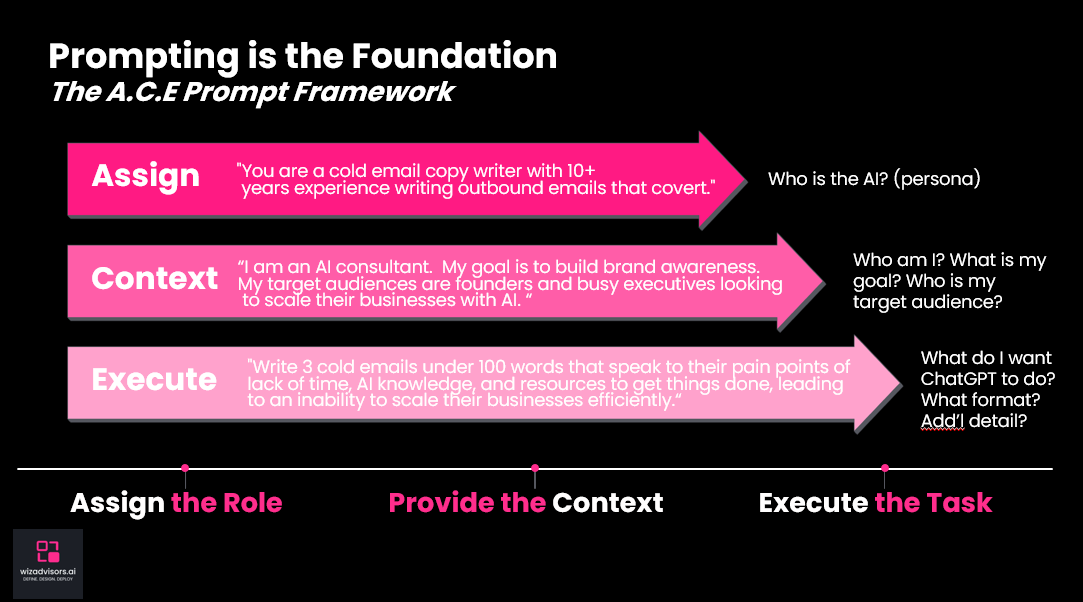
- Assign a role or persona. Example: “You’re a cold email copywriter with 10+ years’ experience.”
- Context sets the stage. Who are you? Who’s the audience? What’s the goal?
- Execute tells the AI exactly what to do and in what format.
It’s iterative. You’re not going to nail it on the first try. Think of it like dating — you’ll refine as you go, and eventually, you’ll find the prompt that “just gets you.”
Pro tips:
Give it tone (concise, witty, professional) and a structure. Provide links or upload documents to give the AI context.
Share examples, links or documents that illustrate “what good looks like.”
Tell it not to guess: “If you don’t know, ask me clarifying questions until you are 95% sure before proceeding.” (“Hallucinations” happen when the AI isn’t sure and doesn’t have enough information but wants to provide an answer – like interns who confidently make stuff up — avoidable if you give them direction.)
Ask the AI to share its sources. You always want to check the AI’s work and make sure the information it is providing is relevant, up to date, and true.
Always specify the format (checklist, email, table, etc.).
Master Prompts: The Brand Brain Upload
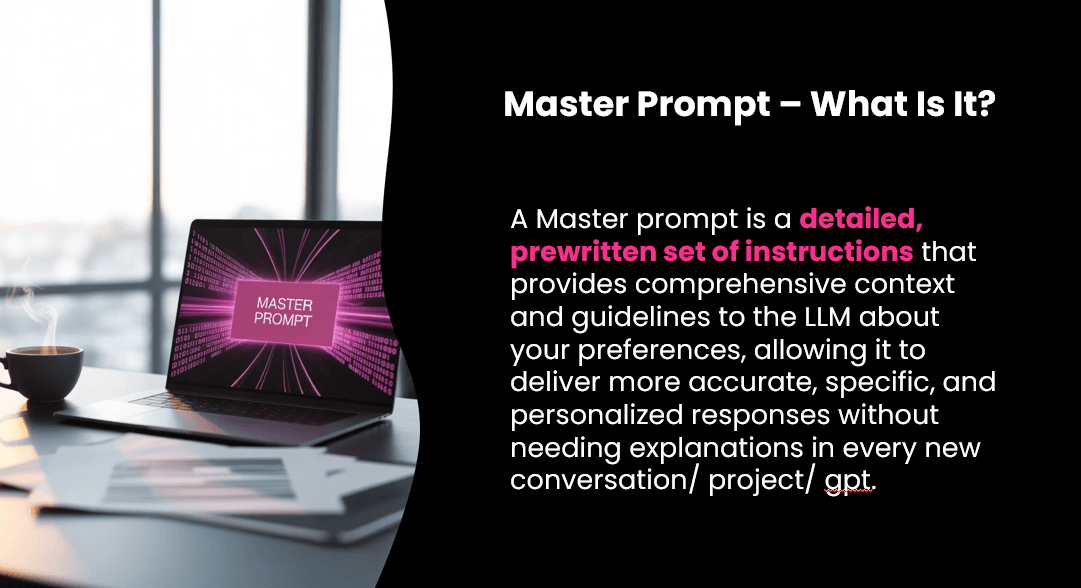
A master prompt is your system prompt — your AI playbook in one file. It captures your brand voice, positioning, audience, and preferences so every response sounds like you, not a generic AI bot.
Three reasons to build one:
Consistency: Your outputs sound like your brand, not like ChatGPT on autopilot.
Efficiency: Save time by not repeating yourself every chat.
Scalable Voice: Share it with your team so they all produce on-brand AI output.
Think of it as cloning your brand brain. When I upload my master prompt, ChatGPT immediately knows my style: approachable but data-driven, witty but always professional.
How to build yours?
Upload your brand docs (mission, values, audience, messaging, examples), then tell ChatGPT to interview you and ask you additional questions to refine it. Thirty minutes later – out pops a “master prompt” you can download, save, and reuse across every workflow.
Custom GPTs: Cloning Your Expertise
Now for the fun part. A custom GPT is basically like cloning your brain and putting it to work inside ChatGPT.
Similar to the way I approach every AI project, I utilize my Define → Design → Deploy framework to bring custom GPTs to life:
Define: Identify a repeatable task that you do a lot in your role, that is either time-consuming or menial and monotonous.
Design: Gather all of the inputs your brain would need to accomplish the task (documents, data, steps, tools, etc.).
Deploy: Develop the instruction set (which should be detailed). Test the GPT, tweak it, then put it to work.
What are some examples? Here are a few that I’ve developed for my team at WIZ or our clients:
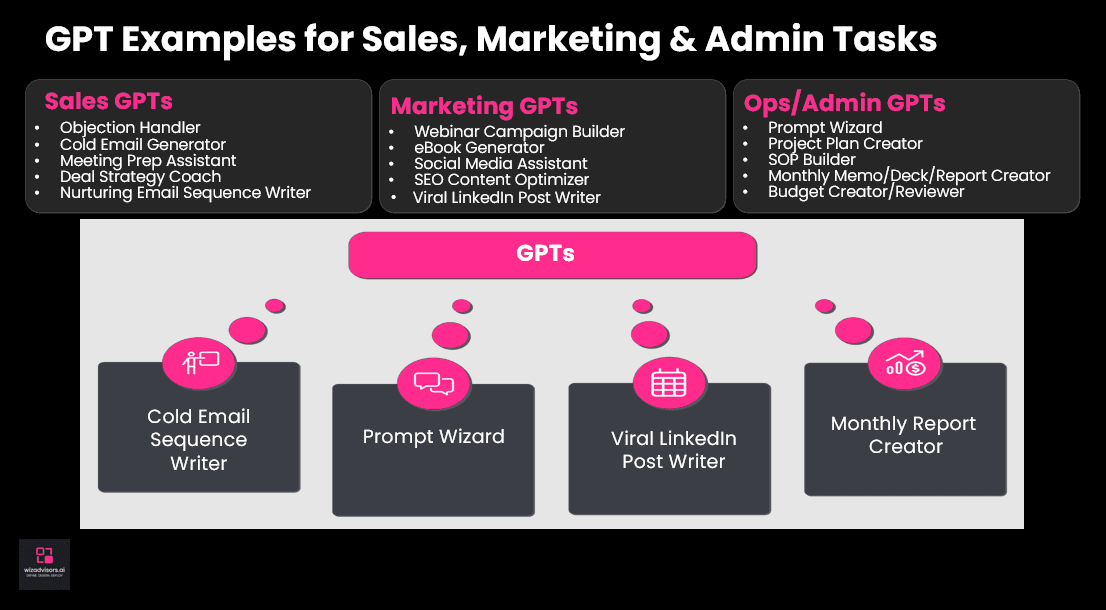
Sales: Objection handler, cold email generator, meeting prep assistant.
Marketing: Webinar campaign builder, eBook generator, viral LinkedIn postwriter.
Ops/Admin: Prompt builder, monthly reporting deck creator.
One of my favorites that I just use myself? A “Mood Meow-tivator. It’s a GPT that asks me how I’m feeling and why. Then it takes my mood, creates a sarcastic one-liner, and gives me a hilarious cat meme image back (always makes me smile).
If you can think it, you can create a GPT for it.
Why This Matters
AI isn’t about replacing you — it’s about scaling you. With the right prompting templates, a detailed master prompt, and a handful of custom GPTs, you can:
Save 8 hours – that’s a full day a week.
Keep your content and workflows on-brand.
Free yourself from repetitive tasks so you can focus on strategy, relationships, and innovation.
As I told my webinar participants: with the right training and a little practice, your prompts and GPTs will go from “not bad” to “nailed it” – FAST.
Want to stop experimenting and start building AI that just works?
CLICK HERE and book a strategy workshop – or a schedule a call with me to learn more.